Samsung Reminder
Screenshots
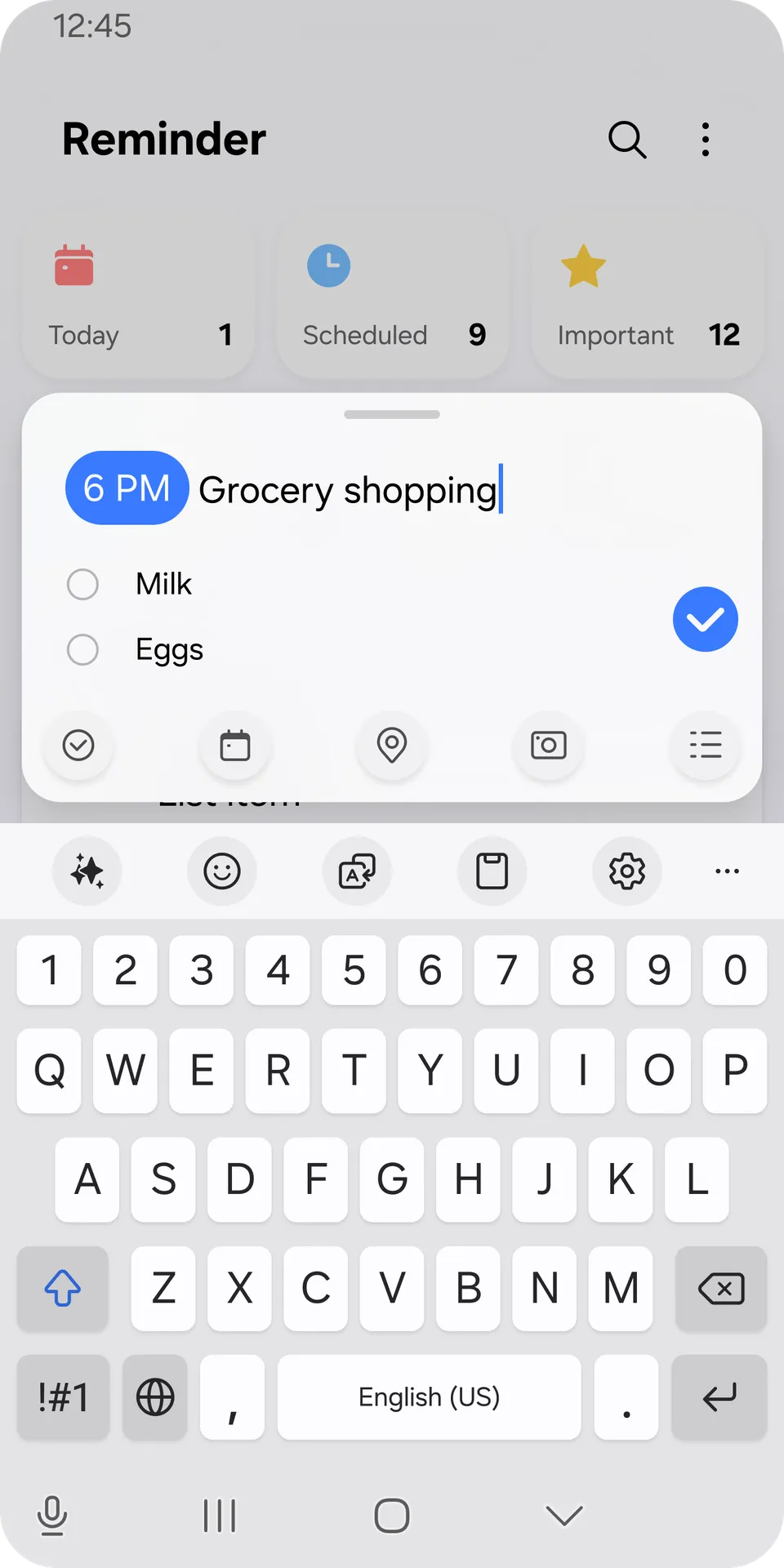
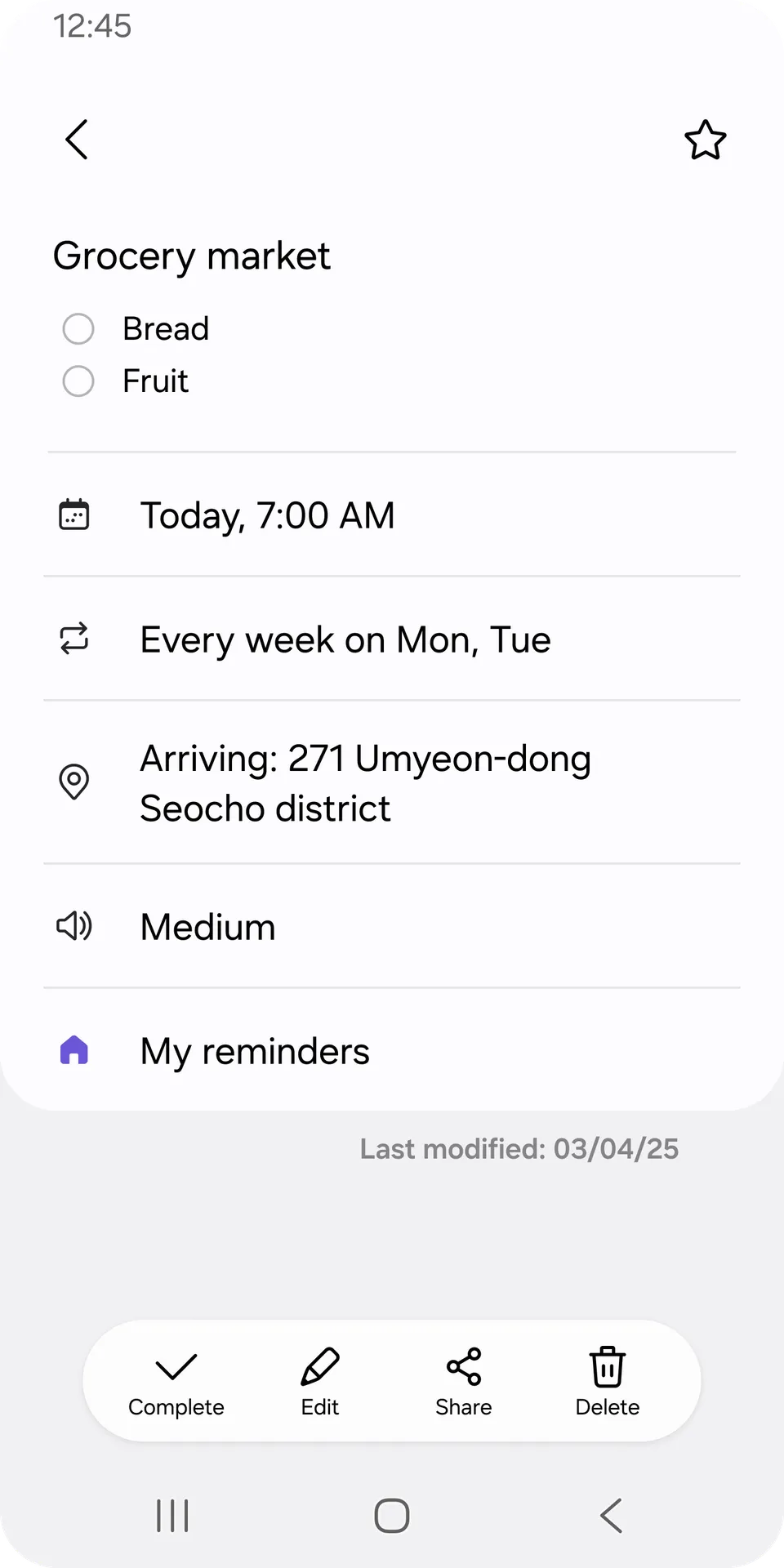
Samsung Reminder helps you organize your daily routine and manage tasks effortlessly. Missing an important appointment causes unnecessary stress. Therefore, using a reliable application helps you maintain control over your busy schedule.
You can organize your life using smart lists and timely alerts. As a result, your productivity will increase significantly without extra effort.
What is Samsung Reminder?
To clarify, Samsung Reminder is a built-in task management tool designed for mobile ecosystems. It allows you to create quick alerts for everyday activities. You can record voice memos, write down grocery lists, or set deadlines.
Consequently, you will never forget crucial details during your workday. The utility integrates deeply with your device environment. In other words, it functions smoothly alongside system calendars and default voice systems.
Most importantly, it operates silently in the background without draining your battery resource. Users can categorize errands according to specific priorities or personal projects. Certainly, this application provides an intuitive way to manage heavy workloads. It simplifies chaotic schedules into clear, actionable bullet points.
Navigating the Streamlined Layout
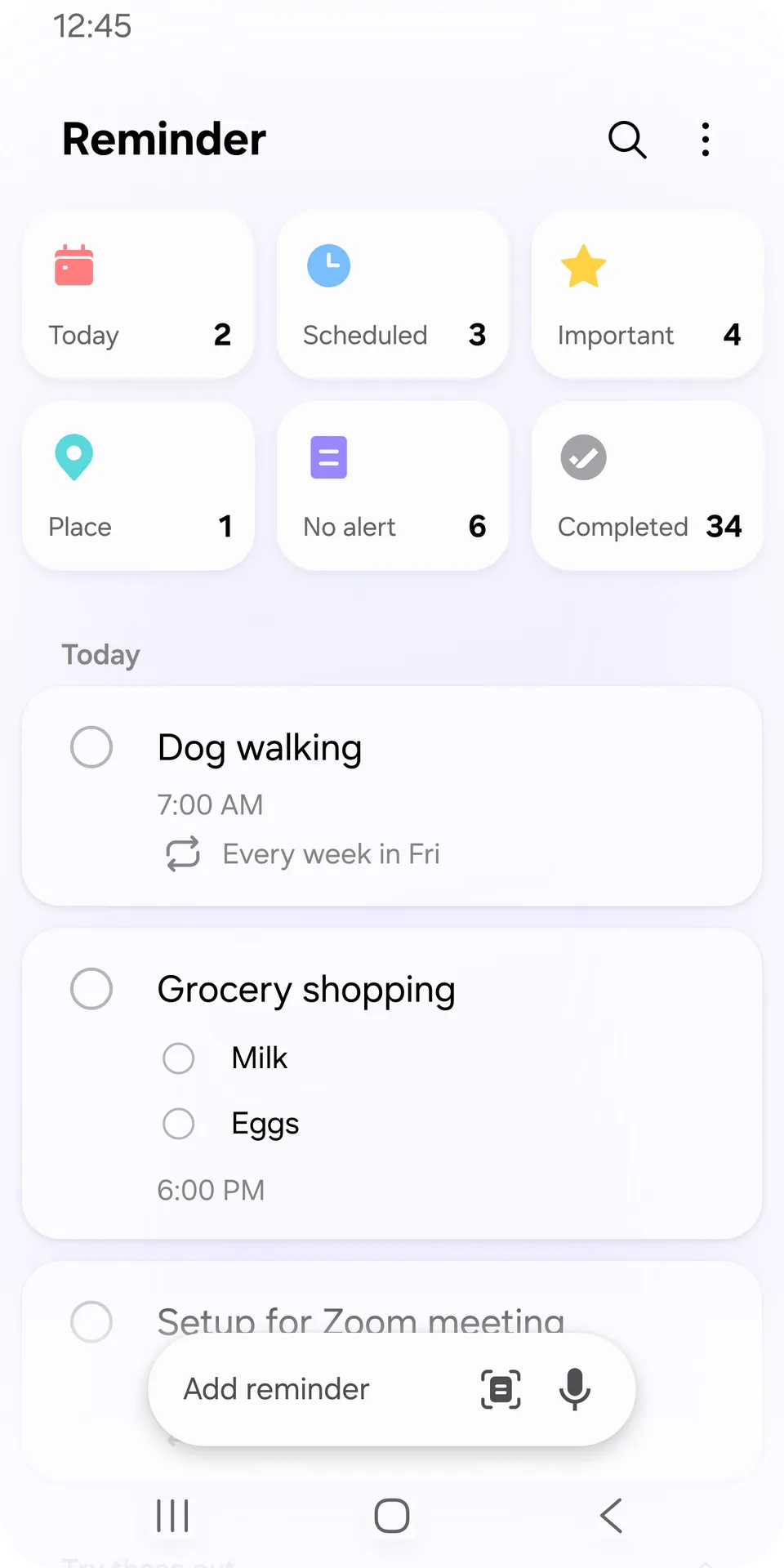
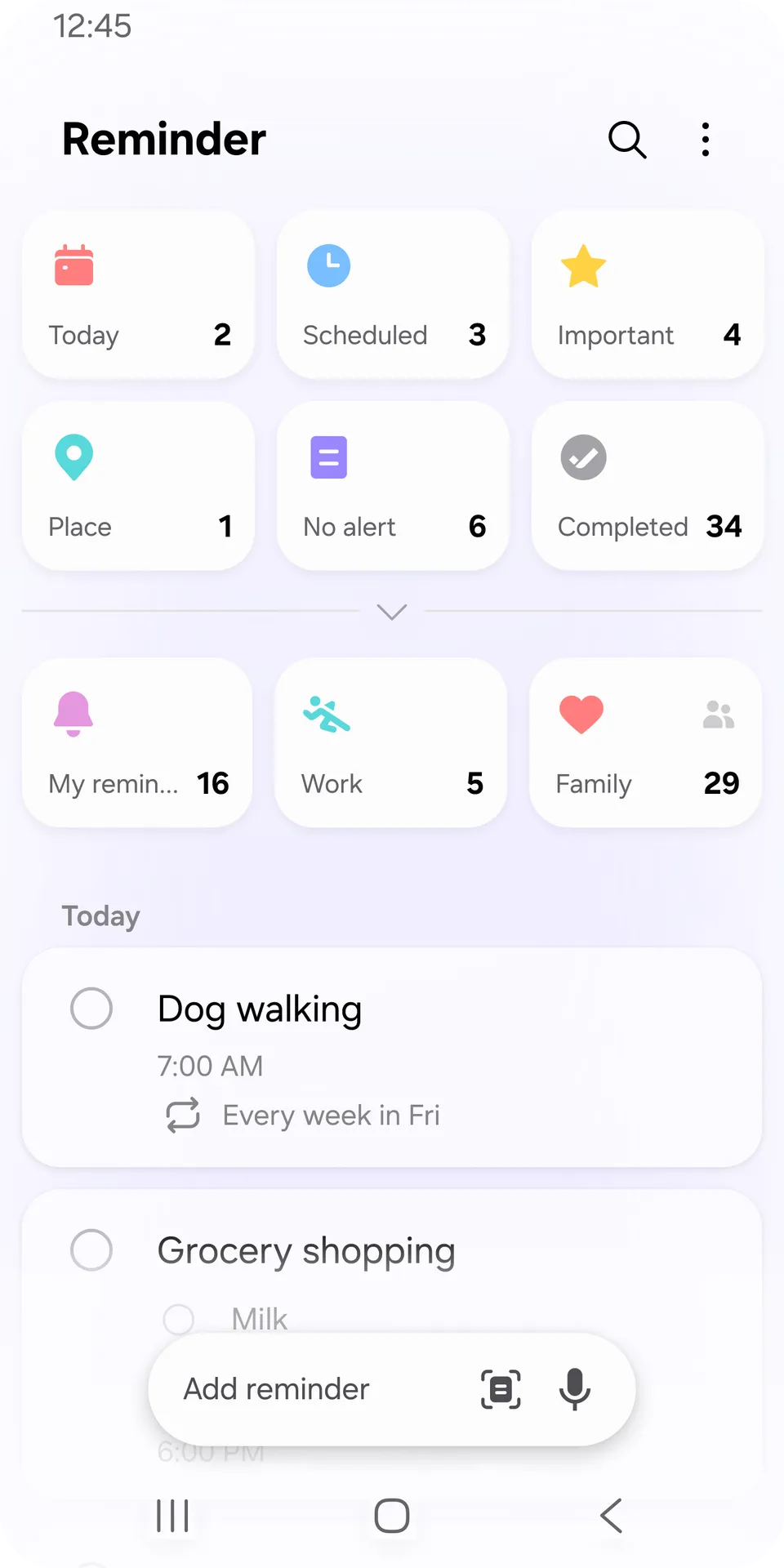
The interface offers a very clean visual style. Firstly, you will notice distinct category tiles placed at the top of your screen. These tiles sort tasks into groups like Today, Scheduled, and Important.
So, you can see all your immediate priorities at a single glance. Secondly, the navigation menu eliminates cluttered sidebars. You can access completed archives or active lists with just one tap.
Meanwhile, a bright action button remains at the bottom of the screen. This positioning allows you to insert new entries rapidly using one hand. After that, you can customize the appearance with dark or light themes. This flexibility ensures great readability under any lighting condition.
Core Features of Samsung Reminder for Android
This built-in tool provides exceptional capabilities to streamline your life. Let us look at the primary features below.
Location-Based Alerts
You can trigger notifications based on your exact physical position. For example, the tool can remind you to buy groceries when you approach the supermarket. You simply select a specific address on the interactive map.
Then, the application tracks your location context using system positioning data. Subsequently, an alert pops up the moment you arrive at that destination. This option eliminates the need to remember tasks manually during travel.
Time-Conditioned Notifications
Setting specific temporal parameters remains incredibly simple. You can configure reminders to ring once or repeat across multiple weeks. For instance, you might set a recurring notification for your monthly utility bills.
The system handles these requests with perfect timing accuracy. Moreover, you can select custom alert ringtones for different events. This helps you recognize the importance of a task before looking at your phone.
Pre-Built Smart Templates
The system includes ready-made layouts for common activities. These options include workout schedules, picking up packages, or saving grocery items. These layouts come with practical pre-filled details.
Consequently, you do not need to type extensive notes from scratch. You can adopt the templates exactly as they are. On the other hand, you can customize them to match your precise requirements.
Voice Command Integration
Hands-free operation makes task management much faster. You can tap the integrated microphone icon to speak your tasks naturally.
The intelligent detection system analyzes dates, times, and locations instantly. In short, it translates your voice into structured data fields. Therefore, you can add complex schedules while driving or cooking. This specific function saves immense amounts of time during hectic mornings.
Checklist and Media Attachments
Tasks often require more context than a simple text title. To clarify, you can embed rich checkboxes inside any active reminder. This is perfect for tracking multi-step projects or long shopping journeys.
Further, you can attach photos directly to your notes. Taking a picture of a visual receipt or a product label clarifies your objective. As a result, you eliminate any potential confusion later.
Cloud Synchronization Options
Your saved tasks can sync across multiple devices effortlessly. This process protects your data if you switch to a new phone. You can connect your account to secure cloud environments.
After that, your desktop computers or connected tablets can access the exact same task data. Similarly, changes made on one screen update across all other systems. This seamless connection keeps your schedule uniform everywhere.
The Power of Smart Integration
The tool connects directly with system calendars to expand your view. When you open your calendar, your tasks appear right alongside your appointments. This unified presentation helps you evaluate your actual availability.
Consequently, you avoid overlapping commitments or overbooking your free hours. Likewise, incoming phone calls can link directly to your alerts. If you decline a call, you can create a callback reminder immediately.
During busy meetings, this quick function protects your professional relationships. It ensures you follow up with clients without delay.
How to Download and Install Samsung Reminder APK
If your device lacks this pre-installed utility, you can acquire it easily. You should obtain the APK package directly from our website. Our platform offers the most stable version of the file. Follow our direct instructions to complete the setup process smoothly.
Step-by-Step Installation Guidelines
We have outlined the necessary path to get this tool running. Follow these points carefully to avoid any system installation blockages.
- Download the File:
- Visit the download page on our website using your mobile browser. Click the primary link to fetch the authentic APK package onto your storage.
- Enable Unknown Sources:
- Navigate to your device settings menu and select the privacy section. Grant temporary permission to your browser to install applications from outside sources.
- Locate the Package:
- Open your default file manager application and check the downloads folder. Tap on the newly acquired APK file to initiate the installer wizard.
- Execute Installation:
- Press the install button on your screen to begin the automated setup. Wait patiently while the system copies the necessary application assets.
- Launch the Tool:
- Tap the open icon once the process finishes completely. Add a permanent shortcut to your main application screen for faster future access.
Samsung Reminder Tips and Tricks
Using the tool efficiently requires knowing a few expert strategies. Here are the best ways to maximize your organization.
- Toggle the App Icon: If the application seems hidden, look inside your system calendar menu. Activate the option to place a permanent shortcut on your main app tray.
- Set Continuous Ringing: For critical tasks, change the alert style from a single ring to continuous ringing. This forces you to acknowledge the alarm.
- Utilize Color Coding: Apply distinct colors to your categories using the integrated paint palette. For instance, use red for urgent work and green for leisure.
- Restore Deleted Items: If you accidentally remove a task, open the menu and look for the trash archive. You can quickly restore it back to your active lists.
- Leverage Home Widgets: Place interactive widgets directly onto your main desktop screen. This lets you tick off completed items without opening the full application interface.
Daily Habit Formation Strategies
Building consistent habits takes time and regular reinforcement. But, setting daily recurring notifications makes this journey much easier. You can establish regular prompts for drinking water or taking brief walking breaks.
These small nudges reshape your daily behavior pattern over time. In addition, reviewing your completed list at evening provides mental satisfaction. It builds psychological momentum to tackle the next day.
Samsung Reminder Pros and cons
Every productivity application features unique benefits and specific limitations. We have compiled a clear list to guide your expectations.
Pros:
- Deep integration with native system applications and calendars.
- Advanced location-based alerts that trigger perfectly at specific coordinates.
- Zero subscription fees or hidden premium paywalls.
- Minimal battery consumption and low system resource usage.
- Excellent voice recognition system for hands-free entry.
Cons:
- Advanced alert ringtones require using pre-installed system sounds.
- Full integration benefits require a native ecosystem account.
- Custom audio file uploads are currently unsupported for alerts.
Conclusion
Samsung Reminder provides an efficient method for structuring your daily life and managing responsibilities. By utilizing smart location-based triggers and clean layouts, you can easily control your personal timeline. Download the application APK from our website today to start optimizing your time immediately.